



How Often Should You Really Update Your Website?
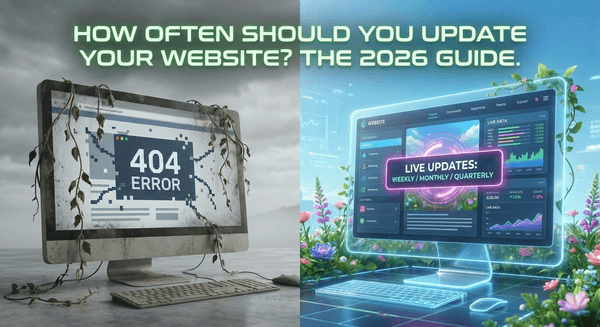
Think of your website as a digital garden. If you stop watering it, it won’t just “stay the same”—it will slowly wither. In 2026, where AI-driven search and “agentic” web experiences are the standard, a “set it and forget it” mentality is the fastest way to become invisible.
But let’s be real: you have a business to run. You can’t spend every waking hour tweaking button colors. So, how often do you actually need to hit that “update” button?
Here is the 2026 breakdown of what needs your attention and when.
1. The Weekly “Pulse”: Content & Security
Your website needs to prove it’s alive. Search engines (and humans) look for signs of life.
- New Content: Aim for 1–2 times per week. Whether it’s a blog post, a new project in your portfolio, or a quick industry insight, fresh content signals to AI search crawlers that you are an active authority.
- Software & Security: Check this weekly. If you’re on a platform like WordPress or Shopify, plugin and core updates are your first line of defense against vulnerabilities.
- The “Broken Link” Scan: A quick automated scan once a week ensures you aren’t leading potential clients into a 404 dead end.
2. The Monthly “Tune-Up”: Performance & Accuracy
Once a month, zoom out slightly to ensure the “engine” is still running efficiently.
- Fact-Checking: Review your core pages (About, Services, Contact). Are your prices still accurate? Did that team member leave three months ago?
- Speed Check: Use tools like Google PageSpeed Insights. In 2026, “fast” is no longer a luxury; it’s a requirement. If your mobile load time has crept over 2 seconds, it’s time to compress some images.
- Lead Form Test: Fill out your own contact form. You’d be surprised how many businesses lose thousands of dollars because a simple “Submit” button stopped working after a background update.
3. The Quarterly “Audit”: SEO & Conversion
Every three months, look at the data to see what’s actually working.
- Content Refresh: Don’t just make new stuff; fix the old stuff. Update your top-performing blog posts from last year with new stats, better internal links, and a fresh “Updated for 2026” tag.
- Keyword Alignment: Search trends shift. Every quarter, ensure your site is targeting the terms people are actually using today, not the ones they were using in 2024.
- UX Friction: Look at your bounce rates. If people are hitting your homepage and immediately “noping” out, your navigation might be too cluttered.
The Update Frequency Cheat Sheet
| Task Type | Frequency | Why It Matters |
|---|---|---|
| Security Patches | Weekly | Prevents hacks and downtime. |
| Blog/News | 1–2x Weekly | Boosts AI search visibility and authority. |
| Technical Maintenance | Monthly | Keeps the site fast and functional. |
| SEO Content Refresh | Quarterly | Prevents “content decay” and keeps rankings high. |
| Full Redesign | Every 2–3 Years | Keeps your brand modern and competitive. |
When is it time for a full Redesign?
While you should be updating content weekly, you don’t need a new “look” every year. Most experts recommend a full redesign every 2 to 3 years.
However, you should pull the trigger sooner if:
-
Your site isn’t mobile-first: If it’s clunky on a phone, you’re losing 70% of your audience.
-
Your brand has evolved: If you’re selling premium consulting but your site looks like a DIY project from 2021, there’s a trust gap.
-
The “Cringe” Factor: If you’re embarrassed to send people your URL, that’s your subconscious telling you it’s time for a change.
Pro Tip: In 2026, focus on Accessibility (WCAG 2.2). It’s not just about being inclusive; it’s about making sure your site is readable for everyone—and for the AI agents that might be summarizing your site for potential customers.