



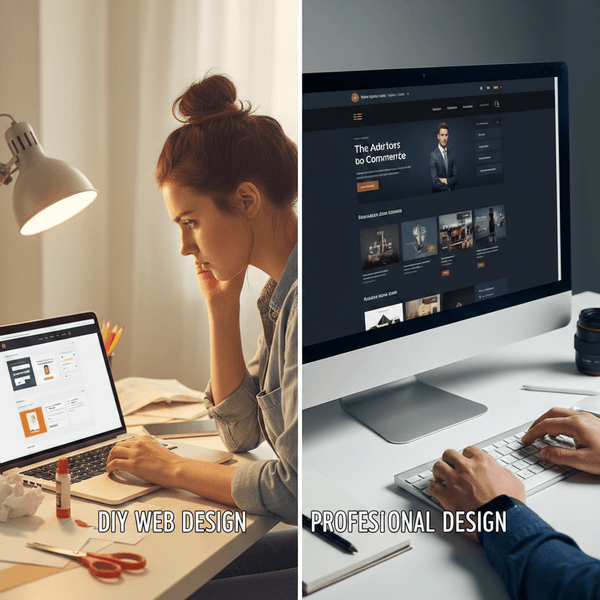

To Build or To Buy? The Small Business Dilemma
In the early days of a business, every dollar is precious. It’s tempting to look at a “drag-and-drop” website builder and think, “I can save $3,000 and just do this myself over the weekend.” On the flip side, we’ve all seen the “DIY disasters”—sites where the buttons don’t work on mobile or the layout looks like a digital scrapbook from 2005. Choosing between DIY and professional design isn’t just about the price tag; it’s about opportunity cost. Let’s break down which path actually serves your bottom line.
The DIY Route: Using Wix, Squarespace, or Shopify
Platform builders have come a long way. They are no longer just “cheap alternatives”; they are powerful tools that democratize the web.
The Benefits:
- Low Entry Cost: You can get a professional-looking site for the price of a monthly subscription (usually $20–$50).
- Complete Control: You don’t have to wait for a developer to change a typo or swap out a photo.
- Speed to Market: If you have the content ready, you can launch in 48 hours.
The Hidden Costs:
- The “Time Sink”: Designing a site takes longer than you think. Every hour spent fiddling with margins is an hour you aren’t selling or growing your business.
- Generic Branding: Templates are built for everyone. If you don’t customize them well, your brand might blend into the background.
- SEO Blind Spots: You might have a pretty site that Google can’t find because the technical “back-end” isn’t optimized.
The Professional Route: Hiring an Agency or Freelancer
When you hire a pro, you aren’t just paying for someone to click buttons. You’re paying for a strategy.
The Benefits:
- Conversion Optimization: A pro knows where to put the “Buy Now” button to maximize sales.
- Custom Functionality: Need a complex booking system or a unique customer portal? DIY builders hit a wall where custom code begins.
- Longevity: Pros build on scalable foundations. You won’t have to “start over” in a year when your business doubles in size.
The Hidden Costs:
- Higher Upfront Investment: You’re looking at a significant capital outlay at the start.
- Maintenance Reliance: Unless you have a maintenance agreement, you might feel “locked out” of your own site for major changes.
Cost-Benefit Comparison
| Feature | DIY Approach | Professional Design |
|---|---|---|
| Upfront Cost | $0 - $500 | $2,500 - $10,000+ |
| Time Investment | High (Your personal time) | Low (Review & Feedback) |
| SEO Performance | Basic / Manual | Advanced / Integrated |
| Unique Branding | Limited by Templates | Fully Custom |
| Best For… | Startups & Side Hustles | Established or Scaling Businesses |
The Verdict: Which one is for you?
Choose DIY if: You are in the “proof of concept” phase. If you need to validate your idea without blowing your life savings, a clean Squarespace site is a smart, respectable choice.
Choose Professional if: Your website is your business (e.g., e-commerce) or if you are losing customers because your current site looks untrustworthy. If your time is worth $100/hour and you spend 40 hours building a site, that “free” DIY project actually cost you $4,000 in lost productivity.
Pro Tip: Don’t let “perfect” be the enemy of “published.” It’s better to have a clean, simple DIY site today than a “coming soon” page for a professional site you can’t afford yet.